Discover how using week numbers in 2026 helps you easily keep track, plan smarter, and collaborate. We offer tips and explanations for more calm and structure.
Do you know that feeling of losing track because week numbers are missing from your calendar? It can be frustrating to miss appointments or deadlines simply because you don’t immediately see which week something falls in. With the right week-number calendar for 2026, planning suddenly becomes a lot easier.
The goal of this article is to help you get the most out of your week-number calendar. That way you can plan more efficiently, avoid confusion and work more smoothly with others. We show how week numbers work, give an overview of the week layout in 2026, explain how to add week numbers to your digital calendars, share tips for smart planning and answer frequently asked questions.
Ready to never lose track again? Read on quickly and discover how you can make a difference with a week-number calendar!
What are week numbers and why are they important?
Anyone who has ever tried to schedule an appointment without a clear overview knows it: confusion about exactly which week is meant. Fortunately, week-number calendars bring structure and clarity to our planning. But what exactly are week numbers and why are they so indispensable in our calendars?
Definition and background of week numbers
Week numbers are a way to give each week of the year a unique number, according to the ISO 8601 standard. In this standard week 1 starts on the Monday of the first week with at least four days in the new year. That means the year sometimes has 52, sometimes 53 weeks.
Not every country uses the same week numbering. In the Netherlands and most European countries the week starts on Monday, while in, for example, the US the week often starts on Sunday and follows a different numbering. Want to know more about these differences and how week numbers are integrated into Dutch calendars? Then read the blog Difference in Dutch calendars.
Did you know that as many as 80% of companies in the Netherlands use week-number calendars internally? You’ll find week numbers at work, school and even in project planning. They provide support in a busy schedule.
Benefits of working with week numbers
Working with a week-number calendar makes communication around scheduling much clearer. Imagine you agree that a delivery will take place in week 12. Everyone immediately knows which period is meant, without confusion about dates.
The benefits at a glance:
Clear communication, even with international teams.
Less chance of mistakes with vacations or project deadlines.
Quick overview of busy or quiet weeks.
Useful for creating schedules and annual plans.
Companies, schools and families benefit daily from calendar week numbers. They speed up the planning of recurring appointments and provide peace of mind.
Week numbers and Dutch practice
In the Netherlands calendar week numbers have become indispensable in daily life. More than 70% of Dutch calendars now include week numbers by default. In sectors like construction, healthcare and education they are even indispensable.
A practical example: in the construction sector planning is fully aligned with week numbers. Schools also divide their year based on this numbering. Even for family planning and sports clubs, calendar week numbers always come in handy.
Why are week numbers so established in the Netherlands? They provide overview and prevent misunderstandings, keeping everyone on the same page.
Week numbers in 2026: specifics and points to note
In 2026 week 1 starts on Monday 29 December 2025 and week 52 ends on Sunday 27 December 2026. Because of the leap year and the placement of holidays, some weeks may require extra attention, for example when planning vacations or large projects.
One example: Easter in 2026 falls in week 14, the summer holiday starts for many regions in week 29. It's smart to already take these weeks into account now and adjust your schedule for deviations in time. That way you prevent your plans from getting disrupted.
Pay particular attention to notable weeks, such as those containing holidays or vacations. By thinking ahead, you make optimal use of the advantage of calendar week numbers.
Overview: week layout 2026 at a glance
Below you will find a handy overview of the week layout for 2026:
Week
Start date
End date
1
29-12-2025
04-01-2026
...
...
...
52
21-12-2026
27-12-2026
53
28-12-2026
03-01-2027
Use this overview as a reference when planning with week numbers in your calendar. That way you always keep control of your year.
Setting week numbers in digital calendars (step-by-step)
Do you always want to quickly see which week you're in? Activating week numbers in your digital calendar is the way to never lose track again. Whether you use Google Calendar, Outlook or Apple, with these practical steps you can easily turn week numbers on in your calendar. That way you plan smarter, avoid confusion and always know exactly when that important appointment or deadline takes place.
Week numbers in Google Calendar
Adding week numbers to your Google Calendar is easier than you think. Open Google Calendar on your computer, click the gear icon in the top right and choose 'Settings'. Scroll to 'View options' and check 'Display week numbers'. The week numbers will immediately appear at the top of your month view, so you can instantly see which week you're in.
Deze functie werkt op zowel pc als Chromebook. Je vindt de weeknummers links naast de weken, wat ideaal is voor het plannen van projecten of vakanties. Veel gebruikers merken dat ze hierdoor sneller afspraken kunnen maken en minder vaak vergissingen maken met data. Wil je nog meer inzicht? Gebruik eventueel een Week number calculator tool om eenvoudig het juiste weeknummer per datum op te zoeken.
Weeknummers in de Google Agenda-app (mobiel/tablet)
Ook onderweg wil je snel het weeknummer zien. In de Google Agenda-app werkt het als volgt: open het menu, tik op 'Instellingen', kies je account en zet het schuifje bij 'Weeknummers tonen' aan. Op Android vind je deze optie meestal direct, op iOS kan het iets dieper in het menu zitten.
Na het activeren verschijnen de weeknummers agenda linksboven in het overzicht. Dit is ideaal als je onderweg afspraken plant of snel wilt checken in welke week je vakantie valt. Door de weeknummers altijd zichtbaar te hebben, voorkom je verwarring en kun je efficiënter plannen, waar je ook bent.
Weeknummers in Outlook (New en Classic)
Microsoft Outlook maakt het activeren van weeknummers agenda eenvoudig, maar de stappen verschillen per versie. In Outlook (New) ga je naar 'Agenda-instellingen' en vink je 'Weeknummers weergeven' aan. In de klassieke versie kies je 'Bestand', dan 'Opties', vervolgens 'Agenda' en onder 'Weergaveopties' selecteer je 'Weeknummers weergeven'.
De weeknummers verschijnen in de maandweergave, meestal links van de week. Zakelijke gebruikers profiteren hier enorm van, vooral bij het plannen van vergaderingen of het afstemmen van projectdeadlines. Door weeknummers agenda standaard te gebruiken, is iedereen binnen het team altijd up-to-date.
Weeknummers op iPhone en iPad
Op een iPhone of iPad stel je weeknummers agenda in via de instellingen. Ga naar 'Instellingen', kies 'Agenda' en schakel 'Weeknummers' in. Op iOS en iPadOS werkt dit vrijwel hetzelfde, al kan de locatie in het menu iets verschillen per versie.
Na het aanzetten zie je het weeknummer linksboven in de standaard Agenda-app. Dit is ideaal voor het plannen van schoolvakanties, werkroosters of gezinsactiviteiten. Gebruik je meerdere Apple-apparaten? De instellingen synchroniseren automatisch via iCloud, zodat je overal dezelfde overzichtelijkheid hebt.
Week numbers on Mac (Apple Calendar)
Working on a Mac? You can also easily enable week numbers in Calendar there. Open the Calendar app, go to 'Preferences' and choose 'Advanced'. Then check 'Show week numbers'. The week numbers will appear immediately in the month view, usually on the left side of the week grid.
Handig voor wie met meerdere Apple-devices werkt, want via iCloud worden de instellingen gesynchroniseerd. Vooral freelancers en mensen met een thuiskantoor ervaren hierdoor meer grip op hun planning. Zo houd je altijd overzicht, zowel zakelijk als privé.
Weeknummers in andere digitale agenda’s (kort overzicht)
Niet elke digitale agenda ondersteunt weeknummers agenda standaard, maar veel populaire apps bieden wel opties. In Thunderbird (Lightning) vind je de optie vaak bij 'Weergave-instellingen'. Samsung Calendar heeft een instelling onder 'Agenda-opties', meestal 'Weeknummers tonen'.
Controleer bij alternatieve apps altijd de handleiding of online supportpagina. Sommige apps vereisen een aparte plug-in of update. Werkt het niet? Dan kun je altijd overstappen op een agenda-app die weeknummers agenda ondersteunt, of aanvullend een online weeknummer-tool gebruiken.
Veelgemaakte fouten en oplossingen bij instellen
Soms lijken weeknummers agenda niet zichtbaar, terwijl je denkt alles goed te hebben ingesteld. Veelvoorkomende fout: de agenda staat in dag- of jaarweergave, terwijl weeknummers alleen in maand- of weekweergave verschijnen. Oplossing: wijzig de weergave-instelling.
Een andere fout is dat de gebruikte app geen weeknummers ondersteunt. In dat geval kun je kiezen voor een andere app of een online tool. Houd je software altijd up-to-date, want nieuwe functies worden regelmatig toegevoegd. Zo voorkom je frustratie en blijf je altijd overzichtelijk plannen met weeknummers agenda.
Weeknummers in papieren agenda’s en kalenders
Het kiezen van de juiste papieren agenda is voor velen een belangrijk moment in het jaar. Wie overzicht wil houden, kiest bewust voor een weeknummers agenda. Het verschil tussen agenda’s met en zonder duidelijke weeknummering is groot. Met weeknummers zie je in één oogopslag in welke week je zit, wat plannen veel eenvoudiger maakt.
Papieren agenda’s met weeknummers: waar op letten?
Bij het uitzoeken van een nieuwe weeknummers agenda is het slim goed te letten op de indeling. Niet elke agenda geeft het weeknummer duidelijk per pagina weer. Kies bij voorkeur voor een exemplaar waar het weeknummer groot en helder staat, zodat je snel kunt schakelen tussen weken.
This is especially useful for school planners, business planners and family planners. That way everyone has an overview, whether you’re scheduling your work rota, sports matches or family activities. Extra space for notes per week is a big advantage. Want to see a concrete example? Take a look at these School planners with week numbers for 2026.
When choosing a new week-number planner, it’s wise to pay close attention to the layout. Not every planner shows the week number clearly on each page. Prefer a version where the week number is large and clear so you can switch quickly between weeks.
Paper planners with week numbers: what to watch for?
Choosing the right paper planner is an important moment in the year for many. Those who want to keep an overview consciously choose a week-number planner. The difference between planners with and without clear week numbering is significant. With week numbers you can see at a glance which week you’re in, which makes planning much easier.
Week numbers in paper planners and calendars
Another mistake is that the app you’re using doesn’t support week numbers. In that case you can choose a different app or an online tool. Always keep your software up to date, because new features are added regularly. That prevents frustration and keeps your planning clear with a week-number planner.
Sometimes week numbers don’t seem visible even though you think you’ve set everything correctly. A common mistake: the calendar is in day or year view, while week numbers only appear in month or week view. Solution: change the view setting.
Common mistakes and solutions when setting up
When checking alternative apps always consult the manual or online support page. Some apps require a separate plug-in or update. If it doesn’t work, you can always switch to a calendar app that supports week numbers, or use an additional online week-number tool.
Not every digital calendar supports week numbers by default, but many popular apps do offer options. In Thunderbird (Lightning) you’ll often find the option under 'View settings'. Samsung Calendar has a setting under 'Calendar options', usually 'Show week numbers'.
Week numbers in other digital calendars (brief overview)
Handy for those who work across multiple Apple devices, because settings are synced via iCloud. Freelancers and people with a home office in particular gain more control over their planning. That way you always keep an overview, both professionally and privately.
Difference between Dutch and international calendars
In Nederland volgen de meeste agenda’s de ISO 8601-standaard. De week begint op maandag en de nummering loopt netjes door. Internationale agenda’s wijken hier soms van af: daar begint de week soms op zondag of wordt een andere weeknummerstructuur gebruikt.
Let dus extra goed op als je samenwerkt met collega’s in het buitenland of een agenda importeert van buiten Nederland. Het voorkomt verwarring en zorgt ervoor dat jouw weeknummers agenda altijd klopt met de Nederlandse praktijk.
Weeknummers gebruiken bij handmatig plannen
Een weeknummers agenda maakt handmatig plannen veel overzichtelijker. Je kunt eenvoudig afspraken per weeknummer noteren, zodat je snel ziet welke weken druk zijn. Veel mensen gebruiken stickers, markeringen of kleuren om belangrijke weken te accentueren.
In sectoren als de bouw of zorg is het heel normaal om projecten per weeknummer te plannen. Combineer je papieren agenda met digitale reminders voor het beste resultaat. Zo benut je het overzicht van papier én de flexibiliteit van digitaal plannen.
Weeknummertabellen en referentiemateriaal
Wil je altijd snel kunnen checken welk weeknummer het is? Download dan een handige weeknummertabel voor 2026. Deze zijn ideaal voor op kantoor, thuis of in het klaslokaal. Een weeknummers agenda is dan nóg handiger, want je hoeft nooit te twijfelen over de juiste week.
Kies bij voorkeur voor betrouwbare bronnen, zodat je zeker weet dat de weeknummers kloppen. Printbare tabellen zijn fijn om naast je agenda te bewaren voor extra overzicht.
Bij Kalenderwinkel.nl vind je een groot assortiment papieren agenda’s en kalenders met duidelijke weeknummers voor 2026. Of je nu op zoek bent naar een familieplanner, zakelijke agenda of een handige schoolagenda, er is volop keuze.
You can order easily online and benefit from fast delivery via PostNL, DHL or UPS. There are various payment options so the ordering process runs smoothly. That way your week-number planner always remains the central point for planning and overview.
Slim plannen en organiseren met weeknummers
Wouldn't it be nice if everyone always knew which week an appointment, deadline or holiday falls in? With a good week-number planner, planning becomes not only clearer but also much more efficient. Whether you're leading a project team, organizing a busy family life or tracking your personal goals: week numbers provide structure and calm. In this section we share practical tips, examples and smart tricks to get the most out of week numbers. That way you'll never lose track again and you'll always be on the same page with others.
Weeknummers als basis voor projectmanagement
Projectmanagement zonder weeknummers agenda is als een kaart zonder legenda. Door weeknummers als basis te nemen, deel je projecten makkelijk in fases en voorkom je verwarring over deadlines. In de bouw, IT, maar ook bij evenementen zie je dat weeknummers standaard zijn in Gantt-charts en planningssoftware.
Zo kun je met het hele team afspreken: “De oplevering is in week 18.” Dit voorkomt dat iedereen een andere datum in gedachten heeft. Uit onderzoek blijkt zelfs dat 75% van de projectmanagers weeknummers gebruikt voor het stellen van deadlines. Wil je meer weten over hoe weeknummers in Nederland werken? Bekijk dan eens Week numbers in Dutch calendars voor extra uitleg.
Het delen van een centrale weeknummertabel helpt teams om helder te communiceren. Zo loopt niemand achter en blijft het overzicht altijd behouden.
Gezins- en gezinsagenda’s: iedereen op één lijn
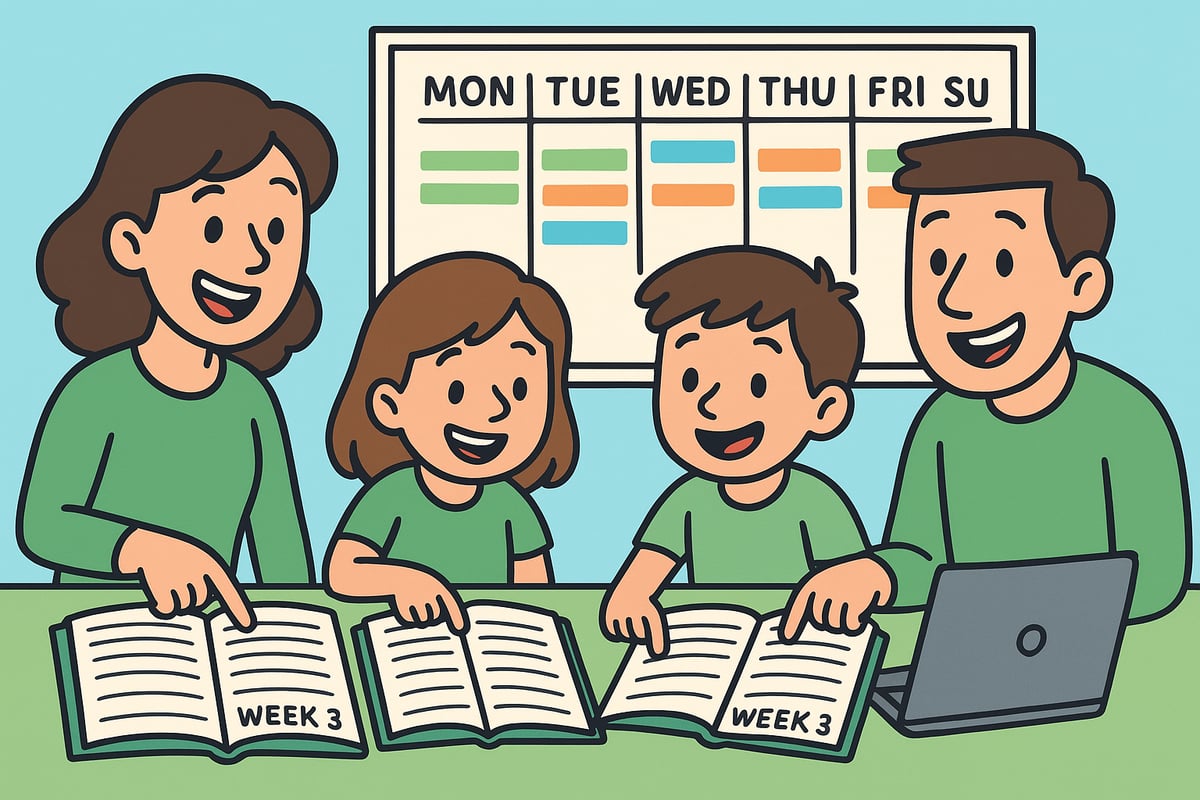
Weeknummers agenda gebruiken als gezin schept rust. Door schoolvakanties, sporttrainingen of familie-uitjes per weeknummer te noteren, weet iedereen precies waar hij aan toe is. Gezamenlijke gezinsagenda’s, zowel op papier als digitaal, zorgen ervoor dat afspraken niet door elkaar lopen.
Stel samen een vaste gezinsvergadering in, bijvoorbeeld elke zondagavond, om de komende week te bespreken. Zo voorkom je dubbele afspraken en weet je wie wanneer waar moet zijn. Een weeknummers agenda helpt gezinnen om makkelijk vooruit te kijken en zorgt voor minder stress.
Slimme tips voor persoonlijke productiviteit
Wil je meer grip op je taken? Plan ze dan per weeknummer in je weeknummers agenda. Door doelen en terugkerende taken, zoals boodschappen of administratie, aan een specifiek weeknummer te koppelen, houd je overzicht en motivatie.
Gebruik habit trackers of apps die weekplanning ondersteunen om je voortgang te volgen. Zo kun je aan het eind van elke week eenvoudig evalueren en bijsturen. Het werken met een weeknummers agenda maakt je productiviteit meetbaar en geeft je houvast.
Samenwerken met collega’s en teams
In many companies the week-number calendar is the standard when scheduling meetings, sprints, or deadlines. Scrum teams, for example, plan their sprints by week number so everyone knows when something is expected.
Clear communication prevents misunderstandings, especially in international teams. Did you know that 60% of companies mention week numbers in internal communications? Share week-number tables in Teams or Slack to make the overview accessible to everyone. That way you work together like a well-oiled machine.
Holidays, deadlines and year overviews
With a week-number calendar you can easily plan and communicate holidays, leave and deadlines. HR departments use week numbers to keep leave records clear. By mapping busy and quiet weeks you’ll know exactly when extra effort is needed.
Mark important weeks, such as school holidays or project deliveries, so you can anticipate in time. Year plans with week numbers provide guidance and prevent surprises during busy periods.
Automating week numbers and recurring appointments
Digital tools make it possible to repeat appointments by week number in your week-number calendar. Think of automatic reminders for team meetings or recurring tasks in week X. That way you don’t have to manually re-enter everything each time.
Integration with task lists and calendar apps reduces errors and increases efficiency. Choose an app that supports week-number recurrence and automate as much as possible. That saves time and gives peace of mind.
Common planning mistakes with week numbers
If you use a week-number calendar, watch out for international differences. In some countries the week starts on Sunday or a different numbering is used. Always check at the turn of the year whether week 52 or 53 is recorded correctly.
Another mistake is forgetting to update week numbers in paper calendars. Always work from reliable sources and set fixed planning moments. That way you can be sure your week-number calendar is correct and avoid misunderstandings.
Frequently asked questions and useful extras about week numbers
Planning with week-number calendars sometimes raises questions. Here we answer the most frequently asked questions and share helpful extras. That way you'll be fully prepared for an overview in 2026.
FAQ: the most frequently asked questions about week numbers
What exactly is a week number? According to the ISO 8601 week numbering standard, a week number is the number of a week in the year, where week 1 begins with the first week that contains at least four days in the new year. In the Netherlands almost every week-number calendar follows this standard.
Why does the week number sometimes differ between countries? In the US the week often starts on Sunday, while in Europe it starts on Monday. This can cause confusion if you use an international week-number calendar. So pay close attention to the settings in your calendar app.
How do I know if my calendar supports week numbers? Check the settings of your digital week-number calendar for an option to show week numbers. Sometimes it’s a toggle or checkbox.
What do I do about deviations like week 53? Some years have 53 weeks instead of 52. Always check the year transition in your week-number calendar so you don’t miss appointments.
Week number tools and useful links
There are handy tools online to calculate the correct week number. With the Week numbering systems comparison you can easily see which week-numbering systems are used worldwide. This prevents mistakes when collaborating with people in other countries.
Popular tools and apps:
Widgets for smartphone and desktop
Downloadable week number tables
Online calculators
With these tools your week-number calendar will always stay up-to-date and clear.
Week numbers and privacy/security in digital calendars
When sharing your digital week-number calendar, pay close attention to your privacy. Don’t share sensitive information in shared calendars, especially for work or school. Use strong passwords and check who has access to your calendar.
Tips for safe use:
Set shared calendars to private if possible
Share only relevant information per week number
Keep software up to date
This keeps your planning safe and organized.
Week numbers and accessibility
Week numbers make planning easier for everyone, including people with disabilities. Many digital calendars with week-number support work well with voice assistants or screen readers.
Helpful tips:
Enable week number display in your favorite app
Use clear colors or symbols per week
Ask for help with setup if you can’t manage it
This keeps planning accessible and clear for everyone.
Handy checklists and downloads for 2026
Want to make sure your week-number calendar is completely in order? Use this checklist:
Checklist
Ready?
Week numbers activated in digital calendar
☐
Paper planner with week numbers purchased
☐
Downloadable week number table printed
☐
Important weeks highlighted
☐
Printable planners and tables help you keep an overview all year long. That way you get the most out of your week-number calendar in 2026.
Now that you know exactly how week numbers make your planning easier and clearer, it’s time to put that into practice. Together we’ll make sure you don’t miss any important dates all year round, whether it’s for work, school, or home. Want to schedule birthdays effortlessly and always have the correct week numbers at hand? Discover our wide selection and find the calendar that truly suits you. Together we’ll make 2026 an organized and relaxed year. View all birthday calendars